Showing posts with label google+. Show all posts

Tuesday, July 5, 2016

Google Maps gets multi-stop directions and vacation memories on mobile


Google is bringing long awaited multi-stop directions to mobile with its new summer update. Travelers can now hit as many tourist traps as they want on their cross country treks. Just like in the web version, users can swiftly rearrange the order of stops. Android users will get the feature first, followed by iOS in the near future.
Google MapsThe summer update caps off an active week for Maps. Earlier this week, Google also rolled out sharper satellite imagery.
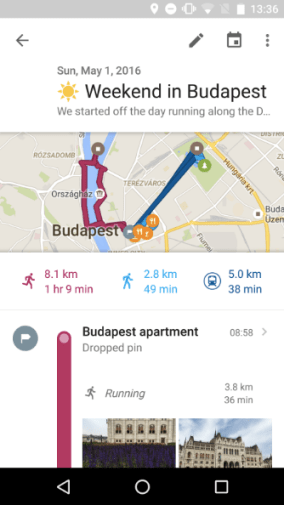
Google also wants to help travelers remember everything from rural ice mines to giant Adirondack chairs with its new Timeline feature. Your Timeline is for those moments when you just can’t remember that definitely fun memorable thing you did last Wednesday to tell your friends and family. Users can drop notes right next to activities. Unfortunately this feature seems to be only rolling out for Android users at this time.
All we need now is an update for multi-planet directions and a nifty feature to track time dilation.

Wednesday, June 1, 2016

A Complete Guide On YouTube Tips and Tricks

It wouldn’t come across as a surprise to anyone if I say that today the word Video has become synonymous with YouTube. Think tutorials, music videos, movie trailers, game-plays, gadget reviews YouTube has a Pandora’s Box of videos to provide to everyone’s liking. It has even changed the lives of some people over time, ask PSY or Justin Bieber for that purpose.


The third most visited site on the Internet after Google and Facebook; over the years, YouTube has amassed over 1 billion users with an awe-inspiring 300 hours of videos being uploaded to the site every minute. I find it, perhaps the most productive way of being unproductive and killing time. So how about discovering some YouTube tips and tricks to add a completely new dimension to your YouTube experience.

Common Keyboard Shortcuts:

We begin our YouTube tips and tricks article with the basic keyboard shortcuts which I hope almost everyone will be aware of:
Space-Play/Pause
F-Fullscreen
Esc-Exit Fullscreen
-Increase Volume
-Decrease Volume
-Go back 5 Seconds
-Go forward 5 Seconds
In fact you can even skip parts of the video without mouse-clicking on the time slider by simply pressing the number keys on your keyboard. Pressing the 1 key skips 10% of the video, the 2 key skips 20% of the video and so on. Pressing the number 0, takes you back to the start of the video.
specific_start_time_youtube

Specific Start Time:

This is one handy YouTube trick which allows you to start a video from a specific time instead of having to tell people the specific time where the boring introduction gets over or point to the part of the video where the real fun begins.
Here is how it works. Consider the following YouTube URL:
https://www.youtube.com/watch?v=A0pLbTXPHng
Now to jump to a 1:23 in the video just simply add #t01m23s to the linkhttps://www.youtube.com/watch?v=A0pLbTXPHng#t=01m23s
It would look like this:
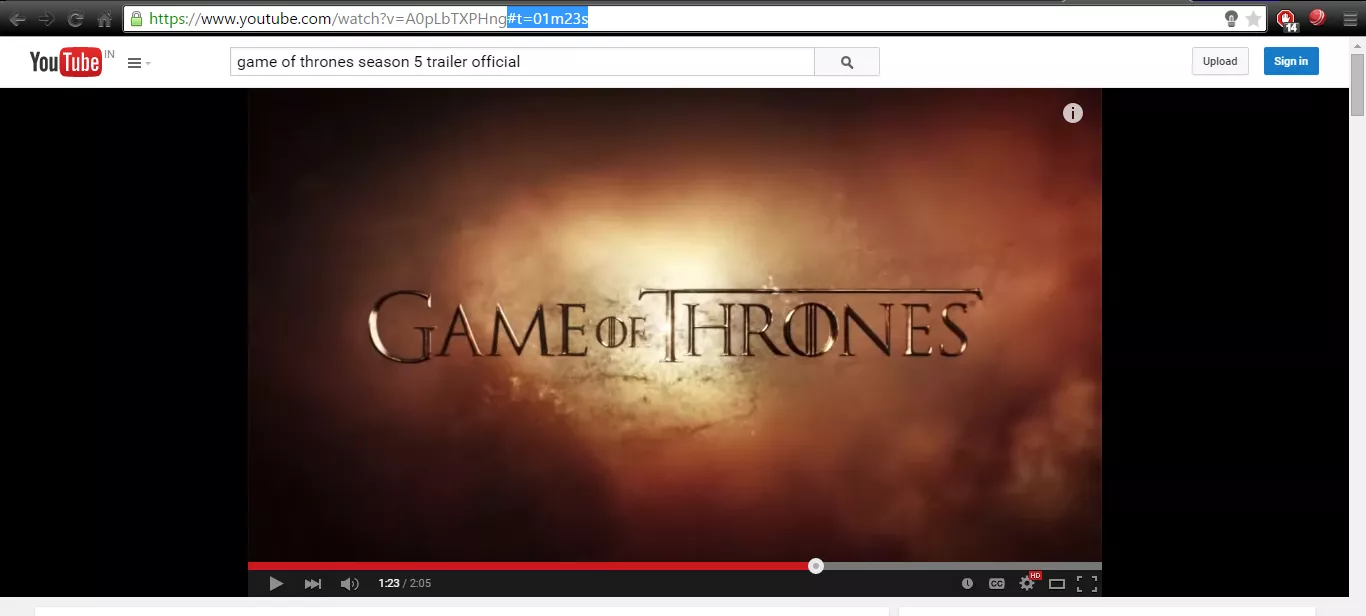
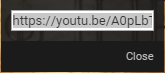
specific-start-time-youtubeOne more way you could do this is to use the Get Video URL at current timeby right clicking the mouse on the time slider at the desired time and clicking on the Get video URL at current time option.
current-time-url-youtube
timeurl-dialogbox-youtube
A dialog box containing the link will be generated. Just copy the link and use it to you like.

Turn any video into a GIF:

The next addition in YouTube tips and tricks articles is my favorite.
Who doesn’t like a funny old GIF! Well good news for you, it is pretty simple to create a GIF out of a YouTube video. All you need to do is add the word ‘gif’ just after the ‘www.’ in the URL.
For example: Consider this YouTube URL: https://www.youtube.com/watch?v=9q4qzYrHVmI#
You just have to modify it like this: https://www.gifyoutube.com/watch?v=9q4qzYrHVmI#

It shall redirect you to a page where you can make a GIF as per your required specifications in a matter of minutes. In fact you can even enter captions in your GIF image through this tool.
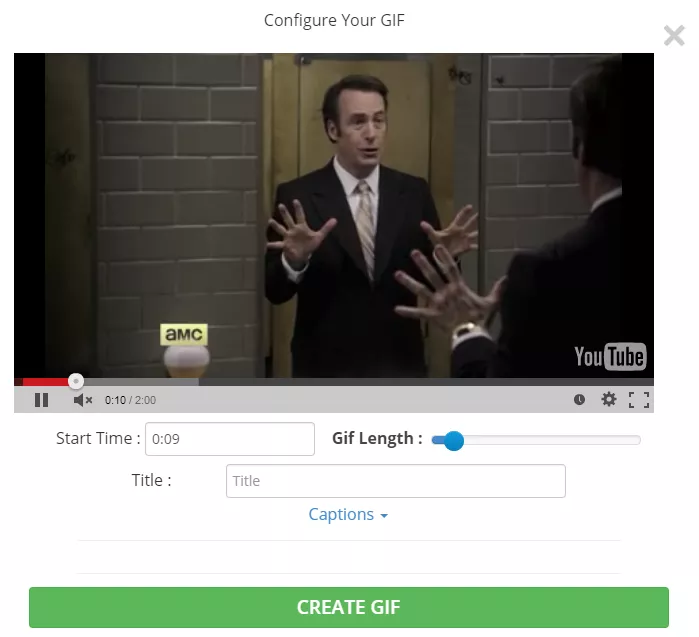
GIF-YouTube
YouTube Tips and Tricks – GIF

Repeat The Complete Video or Parts of it Automatically:

There are times when we stumble upon a video which no matter how much we try we can’t resist watching again and again. It could be a music video, a funny prank or perhaps an awe-inspiring stunt scene from some movie. To repeat certain portion of the video or the complete video all you need to do is to add the word ‘repeater’ after ‘youtube’ in the URL.
For example: Consider this YouTube URL: https://www.youtube.com/watch?v=D6DFLNa6MBA
Just change it to: https://www.youtuberepeater.com/watch?v=D6DFLNa6MBA
It shall redirect you to a page where you can loop the required portions of the video.
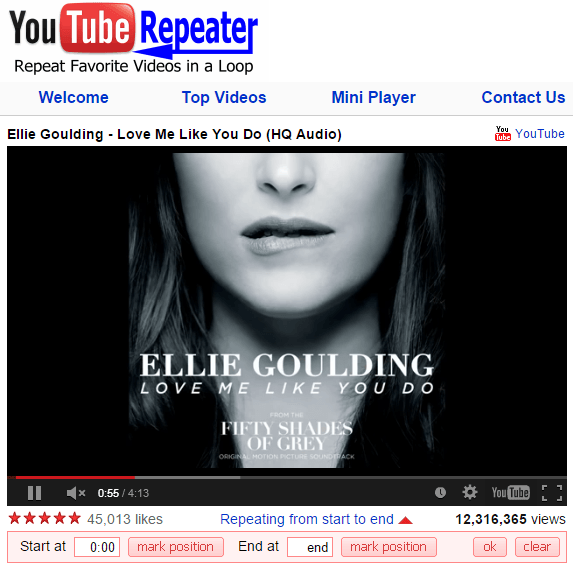
youtuberepeater

YouTube Leanback:

Watching YouTube videos on your TV using the normal YouTube desktop version can be a cumbersome experience. That’s where the YouTube Leanback feature comes in, it is basically a simplified UI version enhanced for TV which recommends videos for you to watch according to those that you have watched before and can be controlled simply using arrow keys.
All you need to do is go to youtube.com/tv , leanback and enjoy the viewing experience.
youtubeleanback
In fact you can even pair you smartphone or tablet for having a hassle free experience. 

Bypass Regional Restrictions and Blocks:
bypassrestrictions-youtube
YouTube Tips and Tricks – Bypassing Location Restriction
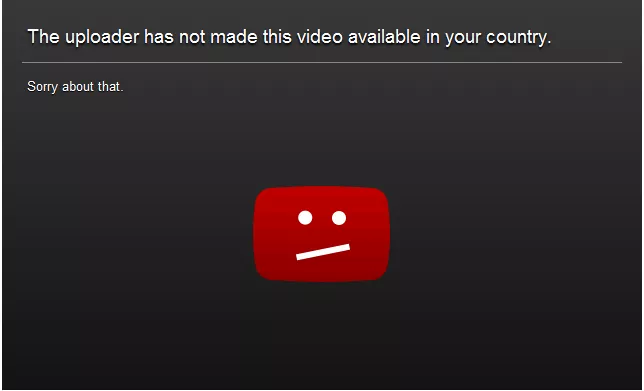
I am sure almost all of us would have encountered the irritating experience of opening up a pretty hyped video only to stumble across a block which prevents us from playing the video. YouTube tips and tricks isn’t complete without this.
In order to bypass this restriction, simply change the format of the link from this: https://www.youtube.com/watch/?v=dD40FXFhuag
To this: https://www.youtube.com/v/dD40FXFhuag

Download YouTube Videos:

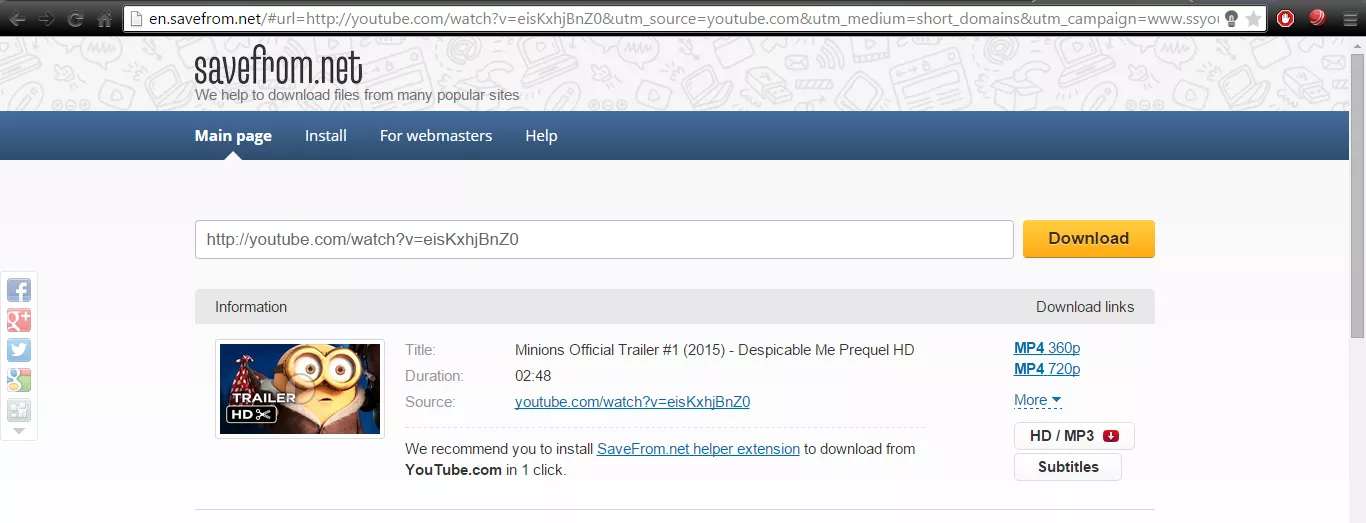
Wish to download a YouTube video so that you can watch it sometime later. All you need to do is add ‘ss’ after ‘www.’ in the URL of the YouTube video.
For example: Consider this YouTube URL: https://www.youtube.com/watch?v=eisKxhjBnZ0
Just change it to: https://www.ssyoutube.com/watch?v=eisKxhjBnZ0
You will be redirected to a page from where you can download the video in the desired quality and format.
downloadvideos-youTube
YouTube Tips and Tricks – Video Downloading
Just be careful that downloading the video doesn’t infringe the copyrights of the owner.

Accurate Keyword Searching:

Finding the exact video that you want to watch on YouTube can prove to be a time-consuming experience provided the fact that there are billions of videos on the site with more and more being added every day. To refine your search and reduce the time involved in finding your desired video try using theallintitle keyword.

allintitle-youtubeDoing so will return you results which have all the chosen keywords.

Other Common YouTube Tips and Tricks That You Might Have Overlooked:

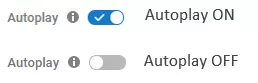
Autoplay- In case you do not want to play the suggested video after the one that you are watching currently, just disable the autoplay feature found towards the right corner of the page.
Autoplay-YouTube
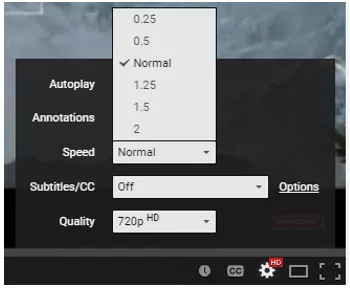
Speed- You can alter the speed of the video and play it faster or slower to your like. Just click on Setting on the time slider, go to Speed and then choose the speed that you prefer.
speed-youtube
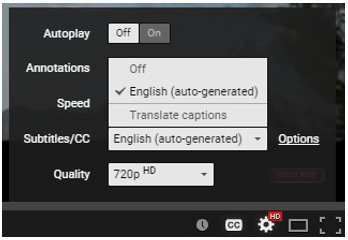
Subtitles- You can even enable subtitles for a video in YouTube. Head to settings on the time slider and then click on Subtitles and turn them on! Although, this feature is not available for some videos.
subtitle-youtube
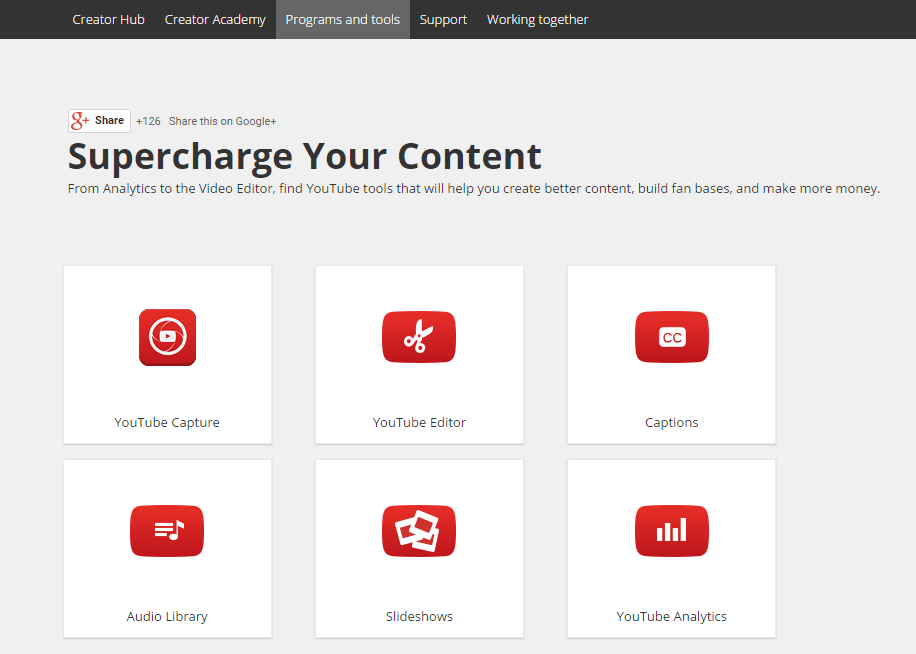
YouTube Tools – Most people might not be aware but YouTube also provides certain tools so as to help the user in creating new content. There are a variety of tools from Analytics to the Video Editor which you should definitely try using at-least once.
youtubetools
YouTube Tips and Tricks – YouTube tools
Click here to start exploring more YouTube tips and tricks for yourself.

Google launches Android N Developer Preview 3 with seamless updates and VR mode

Google today launched the third release of the Android N developer preview, the first one to receive “beta-quality candidate” status. You can start testing your apps against this release by downloading the new preview from developer.android.com/preview. The factory images should arrive shortly for the supported devices: Nexus 5X, Nexus 6, Nexus 6P, Nexus 9, Nexus 9 LTE, Nexus Player, General Mobile 4G, and Pixel C.

Google launched the first Android N developer preview in March and the second preview in April. In past years, Google has unveiled the next Android version and released the accompanying developer preview at its I/O developer conference, but with Android N, the company is starting much earlier — we’re at I/O 2016 and the company is already on the third preview.
There are two big features the Android team is highlighting in the third preview: seamless updates (like in Chrome OS!) and VR mode. The third preview naturally includes everything that inside the first two previews, but these features are being shared for the first time today.

Seamless updates

Google says that seamless updates are “inspired by how Chromebooks apply updates.” In short, devices running Android N or greater can install system updates in the background. The next time you restart your Android phone or tablet, it will boot up using the updated system image.
Androind N will borrow the dual-partition setup from Chrome OS; the secondary system partition stays dormant and is updated as necessary. Whenever it receives an update, the secondary partition swaps with the primary partition to become active after a reboot. This could be problematic for existing devices already available, so the feature will likely be limited to devices that ship with Android N and above.
Seamless updates are a huge addition that will have massive implications on the Android ecosystem years down the road. The impact will be obvious in terms of security (Nexus and other Android devices already get monthly updates, but they’re not seamless) as well as for developers looking to use features only available on newer Android versions (it takes months for new Android versions to gain serious traction, meaning the most used version of Android is always outdated).
Still, we can’t get too excited. After all, we have to wait for Android N to gain some serious traction. Only then can the Android platform begin reaping the benefits of such a feature.

VR mode

We’ll be hearing more about virtual reality from Google tomorrow, but today is Android day. In short, the operating system is getting its own virtual reality upgrade. When a user launches an app in VR mode, the Android operating system recalibrates the device into a state specifically optimized for virtual reality.
Google says the team “worked at all levels of the Android stack in N — from how the operating system reads sensor data to how it sends pixels to the display — to make it especially built to provide high quality mobile VR experiences.” Developers will be happy to know that VR mode brings performance enhancements, including single buffer rendering and access to an exclusive CPU core.
VR mode lets apps take advantage of smooth head-tracking, stereo notifications, and low latency graphics. Google says this preview brings motion-to-photon latency on the Nexus 6P down to less than 20ms, which is “the speed necessary to establish immersion for the user to feel like they are actually in another place.”
In short, Google wants Android to be its virtual reality platform. Of course, we knew that was the case thanks to Google Cardboard’s success, but now the company is baking support and improvements right into its mobile operating system.

This YouTuber Created His Own Version Of Goku’s Flying Nimbus

A YouTuber posted a video of himself dressed like Goku and zooming through the Taipei streets on his self-made Flying Nimbus. He managed to gather public attention through his cosplay stunts and also uploaded a behind the scenes video in which he explained how he made it.


We have been familiar with Hoverboards ever since we started playing Subway Surfers and then the real hoverboards came like the Robot Butler announced by Intel, they don’t really fly by the way. But no one would have ever envisaged these hoverboards could help people with their Anime fascination.


In a YouTube video posted by Yes Ranger, he was hovering in the streets of Taipei, Taiwan on a Flying Nimbus or Somersault Cloud, as it is said. The same magical golden cloud Goku uses in Dragon Ball series, but I’m doubtful that the Flying Nimbus really chose him for a ride, was he worthy enough?
Later in the video, he flew upon some skyscraper or something else. After which he entered into a combat with a burger eating pedestrian using Goku like powers.
He also posted another video in which he described how he made the hoverboard look like the Flying Nimbus using an insulation layer. In the same video, he featured his inspiration behind the idea who was a cosplay Aladdin on a flying carpet in NYC. The Aladdin in that video was Jesse Wellens and he used electric skates for imitating Aladdin’s magic carpet. Jesse and his girlfriend Jeana Smith are well known YouTube celebs who post prank videos on their channel PrankVsPrank.
Watch the Flying Nimbus in Action:

Google Finally Launches YouTube Gaming, A YouTube Dedicated to Gamers

Google has finally rolled out its Twitch-killer website YouTube Gaming. It’s a website dedicated to gaming videos and livestreaming that will feature more than 25,000 pages for different gaming titles.


Earlier this year, Google announced that it will be playing a bigger role in the gaming market. To complete with Amazon-owned Twitch, the company announced a new YouTube spinoff called YouTube Gaming. Today, on August 26, the company has launched the website that will feature more than 25,000 pages for different games.
This stand-alone website of YouTube Gaming was expected to make the official appearance this summer. However, in the US and UK, the website is now live. It should be noted that last year Google made failed attempts to buy Twitch.
YouTube’s head of gaming Ryan Wyatt said, “Gaming is so big now. We’re doing billions of hours of watch-time a month, with hundreds of millions of users. It’s astonishing.”
Even though Twitch has a complete dominance over the game live streaming for some time now, YouTube Gaming has the potential to become a serious threat to Twitch’s dominance. The service will also have iOS and Android apps.
As the website is dedicated to gaming, typing a phrase won’t give suggestion from movies and songs. About the new service, Wyatt said: “We want to make live simple. We’ll definitely explore other opportunities to see how we can make live easier for people on consoles and phones, both for streaming and capturing content.”

During livestreams, the viewer can also chat with others and the creators can monitor the comments from the app. Each gaming stream will have a custom and easily-shareable URL and the videos will stream at 60fps.

What is Google’s New and Upcoming Service Called “YouTube Red”?

According to the recent reports, Google is rebranding its Music Key subscription service asYouTube Red. Apart from the subscription service, YouTube Red could be an amalgamation of more services based on ad-free subscription model.


Do you remember YouTube’s very own music-focused subscription based service called Music Key that was launched about a year ago? Well, it didn’t perform well against the competitors like Spotify, Apple Music or Rdio. However, the company is aiming to rejuvenate things by rebranding it.
Interestingly, Google has recently updated its YouTube app that includes a text describing a product called YouTube Red. It’s a service that enables background and ad-free music playback, a feature that was absent in the Music Key subscription service.
For the fossBytes readers who don’t know, Music Key is a paid music subscription and streaming service operated by Google.
This was spotted by Android Policethat writes that the rebranding is shown as a notification only when you are leaving a video playing in the background and you switch to another app. This is also shown as a pop-up when you re-open YouTube later.
Take a look it in the screenshots below. To see these changes, you must be having the latest version the Android app on your device.
youtube-red-pics
It should be noted that Music Key still has the “beta” tag associated with it and Google could be planning to relaunch the service as YouTube Red. It’s possible that Google aims to do a lot more that music with YouTube Red and this possible rebranding is just the first step.
The next week, on September 29, Google is holding an event and it’s expected to launch heavyweight products like new Nexus phone as well as Android Marshmallow. We can also witness the launch of much-awaited YouTube ad-free subscription service and new Chromecast.
It’s expected that YouTube Red will be playing a bigger role in the upcoming Google Movie.

What do think about this rebranding? Did you like the name YouTube Red? Tell us in the comments below.

Google, Microsoft, Facebook, Twitter, WhatsApp Are Backing Apple Against FBI

The Cupertino-based company was asked by the US court to unlock the Syed Rizwan Farook’s iPhone 5C which the FBI wasn’t able the crack since the last two months. As a response, CEO Tim Cook wrote a customer letter expressing his denial to the court order. WhatsApp co-founder Jan Koum and Google’s CEO Sundar Pichai have come in Apple’s support. 


In the past few days, we have seen the legal battle between the FBI and the iPhone maker. The security agency FBI was unable to unlock a shooter’s iPhone 5C since the past two months which compelled them to make a plea to the court and ask Apple for reasonable technical assistance. The court announcement went in favour of the FBI and Apple was ordered to cooperate with them.
For Apple, it has been a battle to protect its users’ privacy that might get compromised even if they unlock a single iPhone. But if we empathize government’s viewpoint, Apple must unlock the iPhone so that FBI could help themselves with accessing the information that could be beneficial for the investigation. In this ultimate fight for Data Security, this time, Apple should be the winner.
In response to the announcement by the U.S. Magistrate Judge Sheri Pym, Apple’s CEO Tim Cook wrote an open letter to the customers in which he expressed his dilemma concerning to the potential widespread security breach that may pose as a dark fate for the iPhones all around the globe.
Tim Cook has found a backer in the name of Jan Koum, the Whatsapp-founder who has supported Tim Cook’s strong denial to help FBI with creating a backdoor for the San Bernardino Case shooter’s iPhone 5C. Koum, through his Facebook post, praised the continual efforts Apple has made to protect its users’ privacy. “We must not allow this dangerous precedent to be set.” – he said in the post.
Google’s CEO Sundar Pichai, restricting himself to the 140 character limit, made five tweets communicating his support for Apple and Tim Cook. According to Pichai, it’s not good on government’s part to force technology companies to create a backdoor in their own products and eventually, degrade the security level. He did acknowledge the fact that companies cooperate with federal agencies and provide them appropriate data as per the legal orders but this is an acceptable act.
1/5 Important post by @tim_cook. Forcing companies to enable hacking could compromise users’ privacy
2/5 We know that law enforcement and intelligence agencies face significant challenges in protecting the public against crime and terrorism
3/5 We build secure products to keep your information safe and we give law enforcement access to data based on valid legal orders
4/5 But that’s wholly different than requiring companies to enable hacking of customer devices & data. Could be a troubling precedent
5/5 Looking forward to a thoughtful and open discussion on this important issue

Where might the Apple vs FBI battle end?

On humanitarian grounds, Apple should unlock the iPhone for the FBI guys. But that’ll be done at the cost of all other iPhones put on the hotbed of security risks and potential data breaches. Apple being professional on their part is totally correct, a company is not responsible for their products being purchased by malevolent minds and terrorists. They design their products to be secure and up-to-the-minute with the latest technology. FBI has been unable to unlock the iPhone since the last two months makes it easy to decipher, Apple has done justice with its job and it has engineered an unhackable iPhone. Well, at least for now. One can’t say about the future.
Update:
It looks like the rest of the tech community is also supporting Apple, too. Technology companies like Twitter, Facebook, and Microsoft are expected to offer their legal support in FBI filing.

Participate in the discussion. Write your views in the comments section below.